Proxmox on Hetzner Dedicated Servers
 Timo Wevelsiep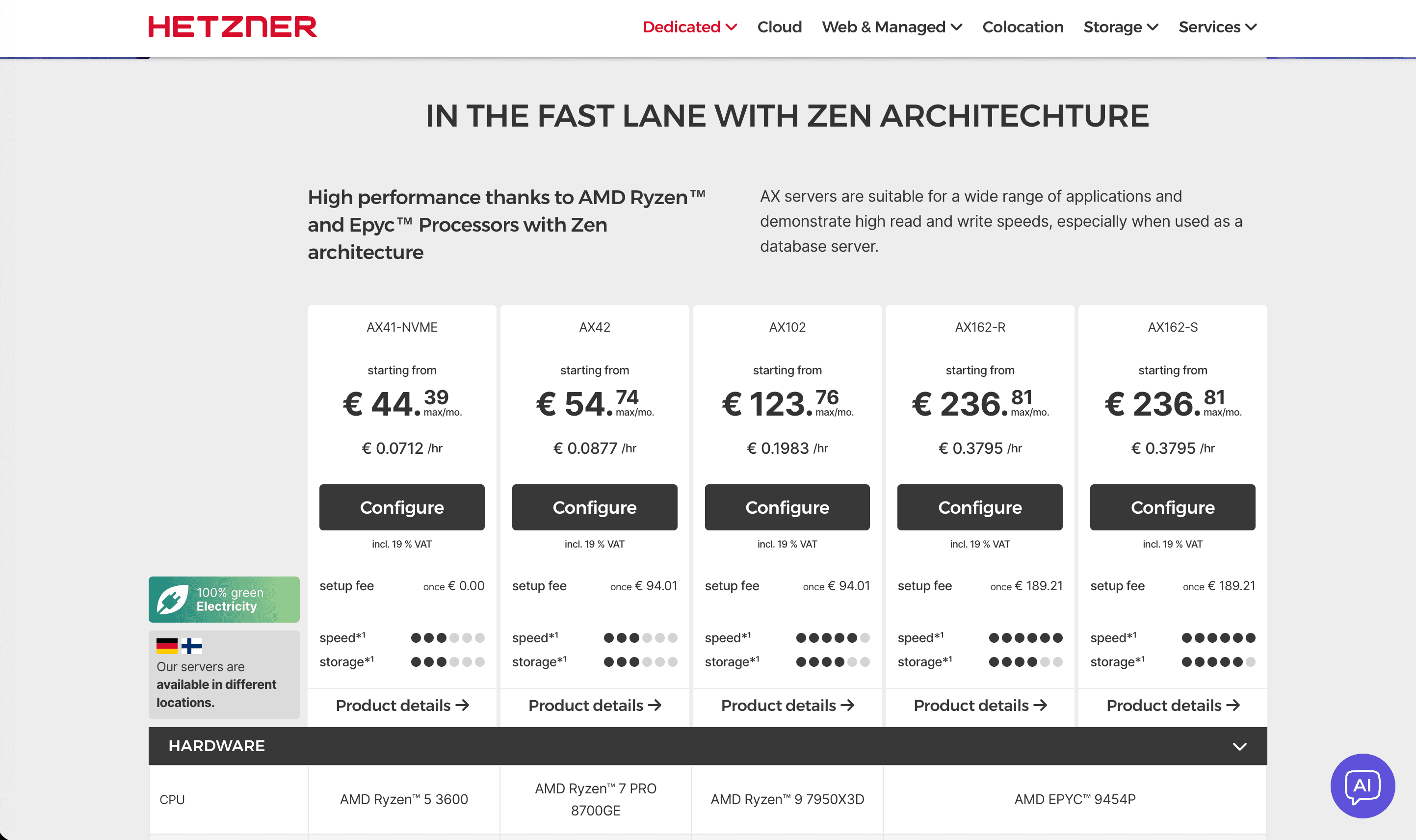
Proxmox Virtual Environment (Proxmox VE) is a powerful open-source virtualization platform for managing KVM virtual machines and LXC containers through a central web interface. Combined with Hetzner's reliable dedicated servers, you get a cost-effective, high-performance infrastructure for production workloads.
This guide covers everything you need to know about running Proxmox on Hetzner dedicated servers.
Table of Contents
- Why Bare-Metal for Proxmox?
- Hetzner Server Options
- Installation Methods
- Network Configuration
- Best Practices
- Accessing the Web Interface
- Conclusion
Why Bare-Metal for Proxmox?
For Proxmox to run stable and performant, you need a dedicated server (bare-metal) instead of a VPS. Only bare-metal provides:
- Exclusive resources for your VMs and containers
- Full hardware access including nested virtualization
- Better I/O performance without hypervisor overhead
- Direct network access for complex setups
- Hardware RAID or ZFS for data protection
A VPS would add another virtualization layer, limiting Proxmox's capabilities significantly.
Hetzner Server Options
Hetzner is a well-established European hosting provider with data centers in Germany and Finland. They offer a wide range of dedicated servers perfect for Proxmox installations.
Server Series Overview
| Series | CPU | Best For | Link |
|---|---|---|---|
| EX | Intel | Balanced price-performance, small to medium clusters | EX Servers |
| AX | AMD | High core count, parallel workloads, large clusters | AX Servers |
| SX | Intel | Storage-heavy workloads, backup servers, NAS | SX Servers |
All servers come with 1 Gbit/s network by default, with 10 Gbit/s available as an option.
Server Auction (Serverbörse)
Don't overlook the Hetzner Server Auction - you can find excellent deals on pre-configured servers, often at significantly lower prices than new configurations.
Installation Methods
There are two main ways to install Proxmox VE on a Hetzner server:
Method 1: Debian + Proxmox Upgrade
Boot into Hetzner Rescue System and run:
installimage
Select Debian 13 (Trixie) and complete the installation. After reboot, upgrade to Proxmox VE following the official guide.
Method 2: ISO Installation via QEMU (Recommended for ZFS)
This method allows you to use the official Proxmox installer with full ZFS support.
We recommend ZFS RAID1 (Mirror) for production environments - it provides data protection against drive failures and is well-supported by Proxmox.
Step 1: Prepare in Rescue System
Forward a local port and connect via SSH:
ssh -L 5900:localhost:5900 root@your_server_ip
Download the Proxmox ISO:
wget https://enterprise.proxmox.com/iso/proxmox-ve_9.0-1.iso
Step 2: Boot the Installer
Check if your server uses UEFI or Legacy BIOS:
[ -d "/sys/firmware/efi" ] && echo "UEFI" || echo "BIOS"
For UEFI servers:
qemu-system-x86_64 \
  -enable-kvm \
  -cpu host \
  -m 16G \
  -boot d \
  -cdrom ./proxmox-ve_9.0-1.iso \
  -drive file=/dev/nvme0n1,format=raw,if=virtio \
  -drive file=/dev/nvme1n1,format=raw,if=virtio \
  -bios /usr/share/OVMF/OVMF_CODE.fd \
  -vnc 127.0.0.1:0
For Legacy BIOS servers, remove the -bios line.
Connect with a VNC client to 127.0.0.1:0 and complete the installation. Select ZFS RAID1 in the installer for best data protection.
Step 3: Configure Network Before Reboot
After installation, stop QEMU (Ctrl+C) and find the correct interface name:
predict-check
# Example output: eth0 -> enp0s31f6
Boot Proxmox again (without the ISO) and configure /etc/network/interfaces with the correct interface name before rebooting the actual server.
Network Configuration
Hetzner has strict IP/MAC binding. For most setups, a routed configuration is required.
Enable IP Forwarding
echo 1 > /proc/sys/net/ipv4/ip_forward
echo 1 > /proc/sys/net/ipv6/conf/all/forwarding
To make this persistent, these commands should be in your network configuration.
Basic Routed Setup
Example /etc/network/interfaces for a routed setup:
auto lo
iface lo inet loopback

auto enp0s31f6
iface enp0s31f6 inet static
    address YOUR_MAIN_IP/32
    gateway YOUR_GATEWAY
    post-up echo 1 > /proc/sys/net/ipv4/ip_forward

# Bridge for VMs
auto vmbr0
iface vmbr0 inet static
    address YOUR_MAIN_IP/32
    bridge-ports none
    bridge-stp off
    bridge-fd 0
    # Add routes for additional IPs
    # post-up ip route add ADDITIONAL_IP/32 dev vmbr0
For VMs, use the main IP as gateway with a /32 netmask.
Best Practices
Storage: ZFS RAID1
For production environments, always use ZFS RAID1 (mirror):
- Protection against single drive failure
- Built-in checksums detect data corruption
- Snapshots for easy backups
- No additional RAID controller needed
Backups
- Set up Proxmox Backup Server (PBS) for efficient, deduplicated backups
- Consider a separate backup server or Hetzner Storage Box
- Test restores regularly
Security
- Enable Two-Factor Authentication in Proxmox
- Install Fail2ban to protect against brute-force attacks
- Keep the system updated regularly
Dedicated Firewall with OPNsense
For production environments, we recommend running a dedicated OPNsense firewall VM on your Proxmox cluster. OPNsense provides:
- Stateful packet inspection
- VPN server (WireGuard, OpenVPN)
- Intrusion detection (Suricata)
- Traffic shaping and monitoring
This separates your network security from the hypervisor and gives you full control over traffic between VMs and the internet. Learn more about our OPNsense management services.
Accessing the Web Interface
After installation, access Proxmox at:
https://YOUR_SERVER_IP:8006
Use the root credentials you set during installation.
Conclusion
Hetzner dedicated servers combined with Proxmox VE provide an excellent foundation for virtualization infrastructure. With proper ZFS RAID1 setup and network configuration, you get a reliable, high-performance platform at a fraction of hyperscaler costs.
The key points to remember:
- Use bare-metal, not VPS, for Proxmox
- Choose ZFS RAID1 for data protection
- Configure networking correctly for Hetzner's IP/MAC binding
- Secure your installation with 2FA and Fail2ban
Need help setting up or managing your Proxmox infrastructure? We're here to help.
Professional Proxmox Support
From monitoring to emergency help - we've got your back.