Remove Proxmox Subscription Warning
 Timo Wevelsiep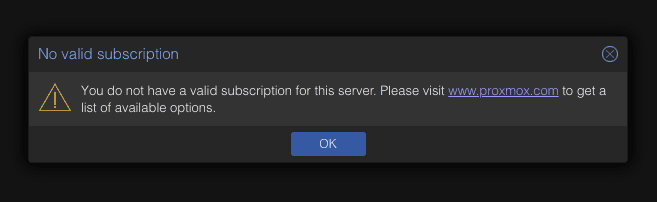
When using Proxmox without a valid subscription, the well-known "No valid subscription" message appears when logging into the web interface. For production environments, the Enterprise subscription is recommended, but for homelabs or test environments, the warning is usually just annoying.
With a small modification, it can be permanently removed.
Table of Contents
- About Proxmox Repositories
- Step 1: Create Backup and Apply Patch
- Step 2: Restart Proxmox Proxy
- Step 3: Refresh Web Interface
- Conclusion
About Proxmox Repositories
Proxmox offers different package sources (repositories):
- Enterprise Repository - requires valid subscription, stable and recommended for production use
- Community Repository - freely available, ideal for homelabs and test environments
Even without a valid subscription, you can use Proxmox fully - including the Community Repository. The following guide only shows how to remove the warning message in the web interface.
Step 1: Create Backup and Apply Patch
Connect to your Proxmox server via SSH and run the following command:
sed -Ezi.bak "s/(Ext.Msg.show\(\{\s+title: gettext\('No valid sub)/void\(\{ \/\/\1/g" \
/usr/share/javascript/proxmox-widget-toolkit/proxmoxlib.js
This command comments out the code that generates the message. A backup file (.bak) is automatically created.
Step 2: Restart Proxmox Proxy
systemctl restart pveproxy.service
Step 3: Refresh Web Interface
Reload the web interface - preferably with cleared cache (Ctrl+F5 or Cmd+Shift+R).
The warning is now gone.
Conclusion
With just two commands, you can remove the Subscription Notice in Proxmox.
For production environments, however, the Enterprise Repository with a valid subscription is still recommended - you get stable support and tested updates.
For homelabs and testing, the Community Repository is the better choice - and completely free to use.
Professional Proxmox Support
From monitoring to emergency help - we've got your back.